
Description
Epson L5190 Resetter – Adjustment Program to Reset Ink Pad Counter
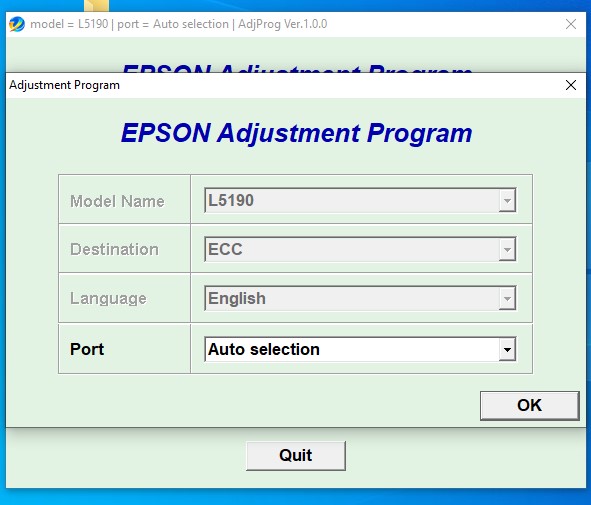
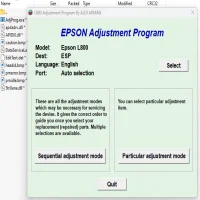
The Epson L5190 Resetter is a specialized adjustment program designed to reset the waste ink pad counter on Epson L5190 printer. When your printer reaches its internal ink waste limit, it may stop printing and display error messages. This tool restores normal functionality by resetting the counter, allowing you to continue using your printer without costly servicing.
This product is delivered as a PDF file that contains a secure download link to the resetter ZIP file. After downloading, users can extract the program, launch it on their desktop, and follow the built-in reset instructions.
When Do You Need This Tool?
You need the Epson L5190 Resetter if your printer shows any of the following signs:
- “Service Required” error message
- “Ink Pad is at the End of Its Service Life” warning
- Printer refuses to print despite having ink
- Red blinking lights on the printer
- Printer displays waste ink counter full message
- Printer is locked or disabled due to internal maintenance limit
- Epson Status Monitor shows a maintenance or pad error
These issues are common after extended printer use and do not mean the printer is broken — they simply indicate the ink waste counter has reached its preset limit.
How It Works
- Download the PDF after purchase
- Open the PDF and click the resetter download link
- Download the ZIP resetter file
- Extract the ZIP file to your desktop
- Launch the reset program
- Follow the resetting tool instructions on the pdf
- Restart your printer and resume normal printing
Key Features
- Compatible with Epson L5190
- Resets waste ink pad counter
- Restores printer from service mode errors
- Easy-to-use adjustment software
- Instant digital delivery via PDF download link
- No hardware repair required
Important Notes
- For software reset only (physical ink pad replacement is optional but recommended for long-term use)
- Windows PC required
- Follow instructions carefully to ensure a successful reset
Reviews
There are no reviews yet.