
Description
Epson L3110 Adjustment Program – Restore Your Printer’s Full Performance
If you own an Epson L3110 printer and have started seeing warning messages like “Service Required” or “Ink Pad is at the End of its Service Life,” don’t panic. The solution is simple – download and use the Epson L3110 Adjustment Program. This powerful tool is designed to reset your printer and help it function like new again.
What is the Epson L3110 Adjustment Program?
The Epson L3110 Adjustment Program is a software utility developed to fix common Epson printer issues. Over time, Epson printers store error logs and reach a point where the waste ink pad counter hits its limit. When this happens, the printer locks itself to prevent further use. The adjustment program allows you to bypass these restrictions and reset internal counters, restoring normal function.
This program is particularly useful for the following problems:
- Waste Ink Pad Counter Full
- Service Required Error
- Printer Not Printing Even When Ink is Full
- General Malfunction Warnings
- Printing Errors Due to Overuse
Key Features
- Reset Waste Ink Pad Counter
One of the most common issues with the Epson L3110 is the waste ink pad filling up. The adjustment program resets this counter and clears the error. - Restore Factory Settings
If your printer has gone through a lot of use and is malfunctioning, restoring factory settings can bring it back to optimal performance. - Fix Service Errors
Errors that may normally require taking your printer to a service center can often be resolved with a few clicks using this tool. - Save Time and Money
Avoid expensive repair costs and long waiting times at service centers. This program empowers you to fix your printer from home. - Easy to Use
No advanced technical skills required. The software interface is user-friendly and comes with simple instructions.
How It Works
- Download the Epson L3110 Adjustment Program to your computer.
- Connect your Epson L3110 printer via USB.
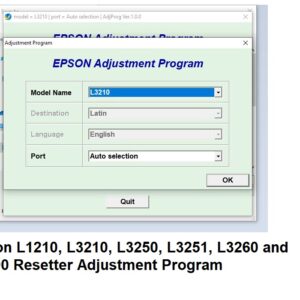
- Run the program and select your printer model.
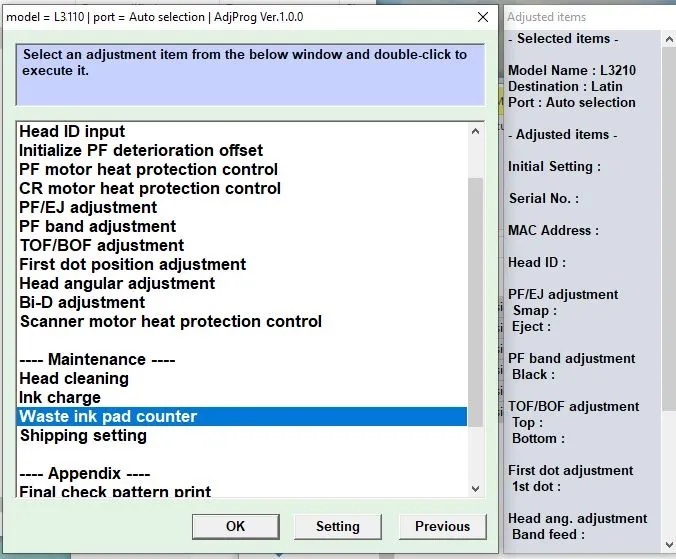
- Choose the “Waste Ink Pad Counter” reset option.
- Click “Initialize,” wait for the process to finish, and restart the printer.
Your printer will be ready to use again in just a few minutes.
System Requirements
- Windows XP, Vista, 7, 8, 10, or 11
- USB cable connection
- Epson L3110 Printer
Trusted by Technicians and Home Users
Whether you run a cyber café, a repair shop, or you’re just a home user trying to fix your printer, the Epson L3110 Adjustment Program is a must-have utility. Many technicians across Kenya and beyond rely on this tool to quickly and effectively fix Epson printer problems.
Need Help? Contact Us on WhatsApp
We understand that not everyone is tech-savvy. If you need any guidance during installation or use of the Epson L3110 Adjustment Program, our support team is ready to help you. Reach out to us on WhatsApp:
Or use this number: 0707637143
We offer prompt assistance to ensure you can use the program without any hassle.
Download the Epson L3110 Adjustment Program today and bring your printer back to life!
Say goodbye to error messages and hello to smooth printing.
Reviews
There are no reviews yet.